Wireless Keyboard

Available on

This website contains affiliate links, which means we may receive a small commission when you purchase through a link at no extra cost to you.

Description

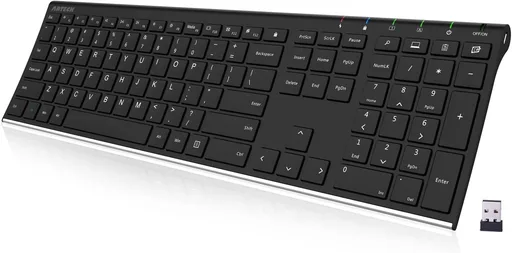
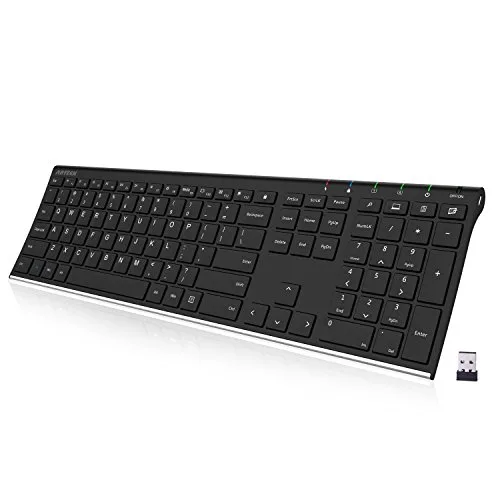
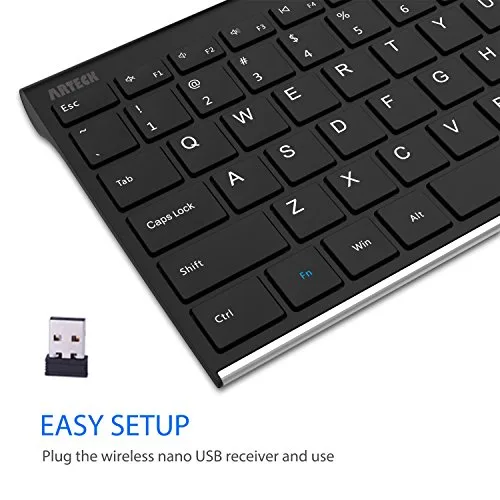
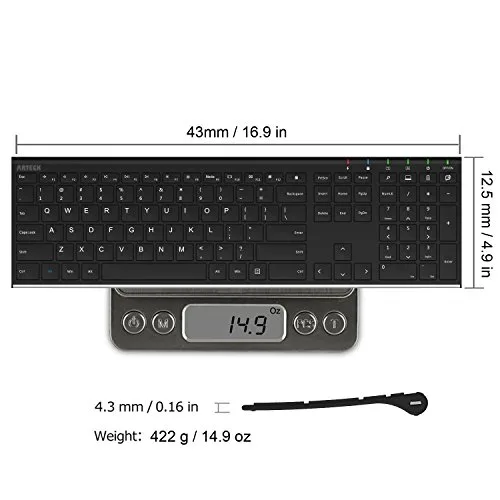
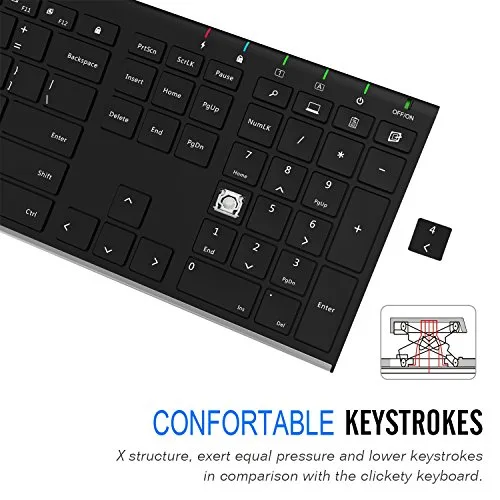
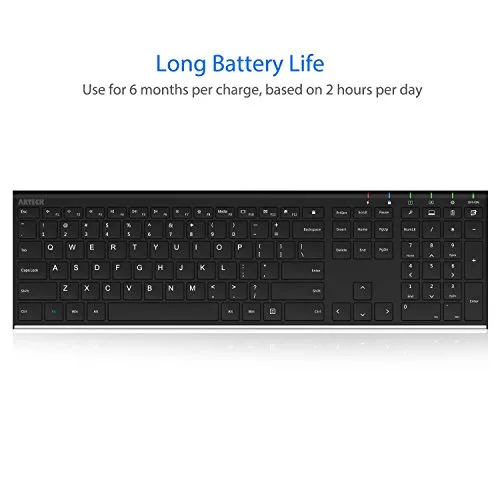
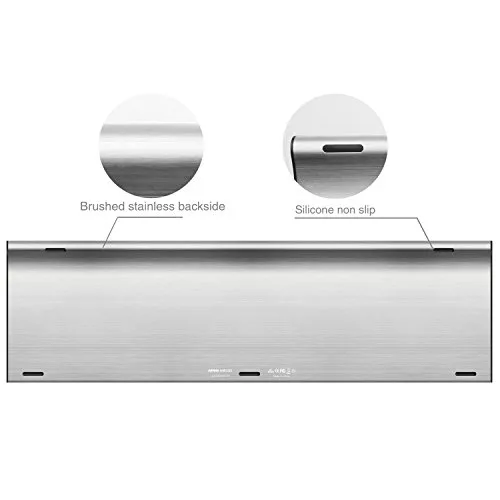
Easy Setup: Simply insert the nano USB receiver into your computer and use the keyboard instantly. Ergonomic design: Stainless steel material gives heavy duty feeling, low-profile keys offer quiet and comfortable typing. 6-Month Battery Life: Rechargeable lithium battery with an industry-high capacity lasts for 6 months with single charge (based on 2 hours non-stop use per day). Ultra Thin and Light: Compact size (16.9 X 4.9 X 0.6in) and light weight (14.9oz) but provides full size keys, arrow keys, number pad, shortcuts for comfortable typing. Package contents: Arteck Stainless 2.4G Wireless Keyboard, nano USB receiver, USB charging cable, welcome guide, our 24-month warranty and friendly customer service.

User reviews3

  • Okay, I've always owned and uses Logitech devices, and this is the 1st keyboard I own and use that's not Logitech. I love this keyboard after using it for work on a daily basis for about a month. It just works otb. This keyboard functions and feel is comparable to the Logitech Illuminated keyboard, only smaller and lower profile and without the lighted keys.- Keyboard layout is standard querty. So, no learning curve. The special function keys I have to get used to but this minor.- Key pressed sound is on the quiet side and with just the right amount of resistance.- LED indicators for battery, (num/cap/function) lock, power works great and clearly visible.- On/off switch is also great for saving battery, but I leave mine on all the time, except when it's in the laptop back during commute.- USB charging is also a great feature and charges fast.- Keyboard is super light weight, which I really like when carrying it around. I just shove it into my laptop backpack and go.- I only charge this once before use, and it's been approx. 1 month already.Workaround:- Height profile is too low (approx 1/2 the height of wrist pad) without anything to prop it up. After using this without a wrist pad for a few hours, my wrists started to hurt where they make contact with the table surface. Not the fault of the keyboard. I used a wrist pad, and noticed the awkwardness of my hands and fingers reaching slight downward to type. This is not ideal. I propped the keyboard on top of the box it came in, and at this height it is perfect with my wrist pad.My sister has a keyboard that doesn't have the (num and cap) lock indicators, so I got her this too. She loves this keyboard.-----Update March 13, 2023The product description says the battery "lasts for 6 months with single charge (based on 2 hours non-stop use per day)". This comes out to 360 hours (6 months x 30 days x 2 hours) of non-stop usage. Here my real life usage. I used this keyboard for normal work 8 hours per day, 5 days per week, since Feb 2023. Comes out to approximately 320 hours (40 days x 8 hours) of normal usage. I estimated the number of days and didn't exclude the weekends, because I sometimes use it with my personal laptop via a KVM. I never turn off the keyboard.The battery died on me today around mid morning. I was typing, but the characters registered intermittently. From experience, I suspect the battery, so I turned the keyboard off and then on. Typed again, and this time, only 1 or 2 characters registered and then it stopped completely. I looked at the charging symbol (electric or lightning) and it was off. The power button was all off. So, there's no visible indication to let the user know that the battery needs recharging.This also happened to my sister, who is less technical and have always used wired keyboard, struggled to figure out what caused her keyboard to stop working. The charging took approx 2-3 hours to complete, which is indicated by a green LED (electric/lightning symbol).Another odd issue I've encountered while using this keyboard with a KVM switch (JideTech KVM Switch HDMI 2 Port Box 4096x2160@60Hz 4:4:4 with Audio Mic and HDMI Cables Support HDMI 2.0,HDCP 2.2,HDR 10). When switching between my personal to work laptop, the keyboard would automatically enabled the caplock (caplock LED on) for the work laptop. I didn't have this problem before when using another keyboard. It doesn't happen when switching from work to personal laptop.Still a great little keyboard, though.Update June 11, 2023 - new keyboard with keys popped off.One of my wired keyboard died, so I bought another Artech keyboard. I came today and noticed the + and Enter keys were physically not attached to the keypad. I thought it was broken, but I reassembled the keys and it works just fine. My initial reaction was, "oh no. I have to return for a replacement :-(". However, after examining the keys, it was easy to figure out how to reassemble it. Now it looks just as normal as other keys and types just fine. Love this keyboard. Just need to be a little more sturdy so keys don't pop out if dropped or thrown around in the box.Again, it just works out of the box.

  • I have had many wireless keyboards over the years.This one is my favorite.It ticks all the boxes for me.On/off button. EXTREMELY important for saving battery life if you have cats like I do. They will stand/sleep on keyboards when you are not using it and drain the batteries. Internal rechargeable battery and it really does last months on one charge.It also has a numpad and function keys that work without hitting the function button first.It is SOLID. It really is stainless steel. And it is the stainless alloy that works with magnets. It sticks to a tablet mount magnet so well I almost broke the mount trying to remove keyboard first time.I like it so much, I just bought another as a spare in case anything happens to this one.

  • I came from using a Logitech K800 which was a very good keyboard for some time and I loved it, but then my 4 year old spilled water on it and it malfunctions when keys were pressed. I tried to fix it, disassembled it and dried it out, vacuumed it, cleaned it really good, put it all back together the next day and still a few keys were mistyping (things like backspace typed a Z). I was going to order another one but at $80+ along with reviewers stating similar things how fragile it is - keys break or you sneeze on it, it never works right afterwards... I decided to search around. I found this arteck keyboard and although I never heard of the brand I read some reviews mostly positive. Though this is only Day 1 using it, so far its pretty good. It came fully charged and it paired up easily. I was hoping my Logitech USB receiver would work with it, but it does not. Luckily I found my Logitech MX master can do Bluetooth and I was able to pair that to the computer via Bluetooth, allowing me to replace the Logitech USB nub with the new arteck one that came with this keyboard. It types pretty good and the coolest thing about it is the minimalist design and brushed aluminum bottom. It looks very good. When its turned on the LED's for things like function lock, caps lock, number lock stay lit. They have different colors and are vivid, it looks real high tech with the blue Fn Lock, Green Num lock. There are a few shortcut buttons but unfortinatly you cannot reprogram them. For example the top right most button is the desktop button that minimizes all windows so you can quickly get to your desktop. Push it again and then the windows come back where they were. If I could choose I would rather make that button bring up the windows calculator. I will miss the calculator shortcut that I used frequently with the Logitech. For now I just hit Win+R and type calc and it comes up. I'm a fast typer but still one button would have been nice.There is no palm rest but that's OK because you can always add your own silicon one, besides this keeps the keyboard portable and light. I sometimes sit it in my lap and lean back and type. I could see you using this in the living room on a media center PC or another device (like a game system or media streamer that has USB keyboard support) to make typing into fields easier. Its so lightweight and thin you could easily store it at the side of a sofa when not in use for example. I'm not sure the battery life but so far its still indicating a full charge, so that's good for a half of days work in I.T. I'm within reach of the USB ports anyway if I need to charge it. I just like the portability to tuck it away when not in use or to have it on my lap if I want to lounge in my office chair.Pros:+Attractive, minimalist, ultra thin design+Extremely lightweight+Types really well and so far has not missed any characters that I have thrown at it, even when typing fast.+The price. Wow this really undercuts the competition. No way am I going to pay more than $80 for another Logitech K800+Warranty. 2 year warranty for a sleek attractive keyboard that costs less than $40 is a great value.Cons:-No calculator shortcut button-In fact none of the shortcut buttons can be reprogrammed or redefined-No palm rest. The Logitech K800 was pretty thin too but had a palm rest. I'll have to see how things go, but if saving space is your concern this is not a con. You can buy silicon palm rests here or any office supply store in just about any color or design you want.-Not Bluetooth or compatible with other brands USB wireless adapters (like Logitech)-Sealed battery - cannot replace, but they claim a 3 year lifespan and at the price of this keyboard and how keyboards get dirty, its probably not a bad idea to replace keyboards every 3 to 4 years anyway.-Keys are not illuminated, but on the other hand that probably saves battery life and reduces cost.-There are no fordable feet to adjust the angle. Its is what it is. Again this yields to the minimalist design.The key action did take some getting used to, but in a few hours I'm OK with it and in fact I'm typing this review on the keyboard now. I liked the action on the Logitech better but to be honest its probably because I'm used to that and have owned that keyboard for a number of years. You really can't beat this value though. Its very affordable and if it doesn't last I can buy another one and STILL be ahead of what a single Logitech cost.